The problem
Relume’s Figma library and its production components had drifted apart. Over time, the two had become different systems describing the same product:
- Names didn’t match. Figma called a size “Strong” where code said “medium”, and “xs2” where code said “2xs”. A designer’s handoff and an engineer’s component were rarely the same thing.
- Values didn’t match. Headings were Regular in Figma and Medium in code. Figma’s smallest heading was 24px; code’s was 20px. Body text line heights were off by a pixel or two everywhere.
- Whole pieces were missing. Buttons in Figma had four variants; code had six, plus an extra-small size. Interaction states, shadows and dozens of colours existed only in code.
[TBC: a concrete moment that made this painful, e.g. a feature that shipped looking different from its design, or time lost in handoff.]
This mattered more than usual because of how we were starting to work. We wanted AI tools to design and build with our components, in Figma and in code. An AI can only be as consistent as the system it reads, and ours was telling it two different stories.
My role
[TBC: confirm.] I led the project end to end: defining the approach, rebuilding the Figma library, documenting decisions, and working with engineering to agree what the source of truth would be. [TBC: who else was involved, and how.]
Approach
Rather than redesign the system, I set out to make Figma an exact mirror of what already shipped. A few principles shaped every decision.
1. Production code is the source of truth
Every token, text style and component was rebuilt from the code in our component library, not from the old Figma file. Where the two disagreed, code won, and the change was logged.
2. Measure in a real browser, not by hand
Values were resolved by rendering components in Storybook, in light and dark mode, and reading what the browser actually drew. That caught things no spec would: colours mixed at runtime, mobile type sizes switched by media queries, and padding that changes when an icon is present.
3. Speak the same language
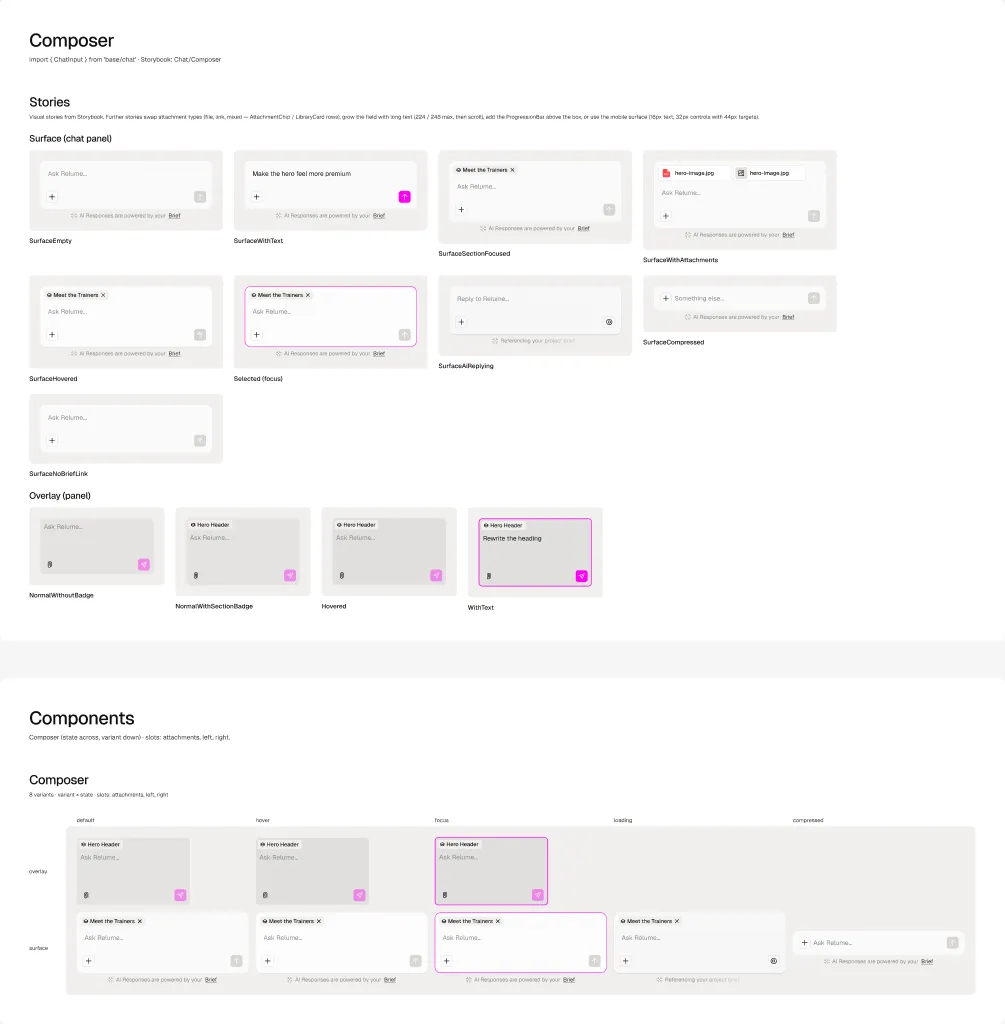
Figma variables carry their exact CSS variable as code syntax. Text styles, components, properties and slots are named as they are in code. A designer can hand over a frame, and an engineer, or an AI agent, knows exactly which component and props it maps to.
4. Make it legible to AI
Every component description includes its import path, file location and prop mapping. Figma’s Code Connect would normally do this, but it needs an Organization or Enterprise plan, so descriptions do the job in the meantime. That gives AI tools working in Figma or in code the same map of the system.
5. Log every decision
A changelog records each review round: what was added from code, what was left out on purpose and why, and where code itself looked wrong. Mismatches became a shared to-do list with engineering instead of silent drift.
What we built
- Foundations. 199 variables across colour (147, with light and dark modes), spacing, radius, typography, layout and opacity. Also 12 text styles, 4 shadows and 345 icons, all named as in code.
- Components. Around 100 components covering forms, feedback, navigation, overlays, layout, data, AI chat and the editor itself. Buttons alone cover 6 sets and 1,512 variants, matching every size, state and option that ships.
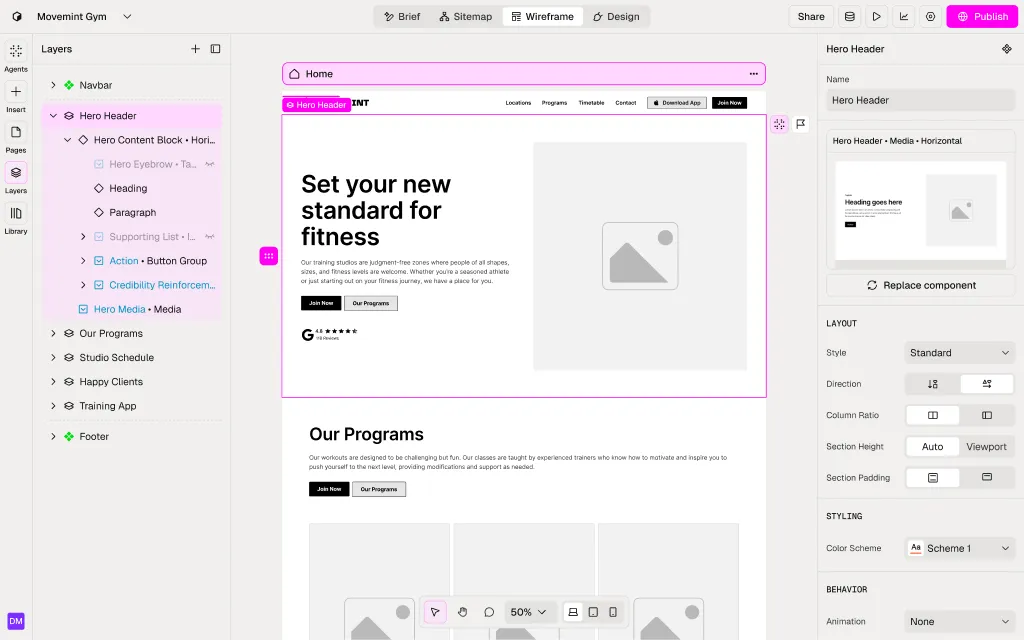
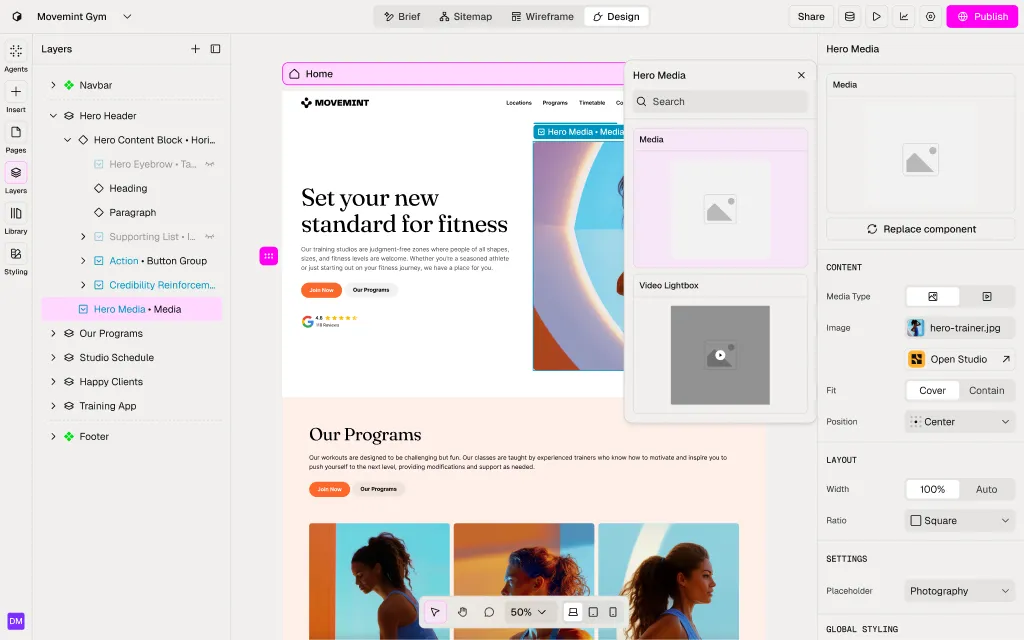
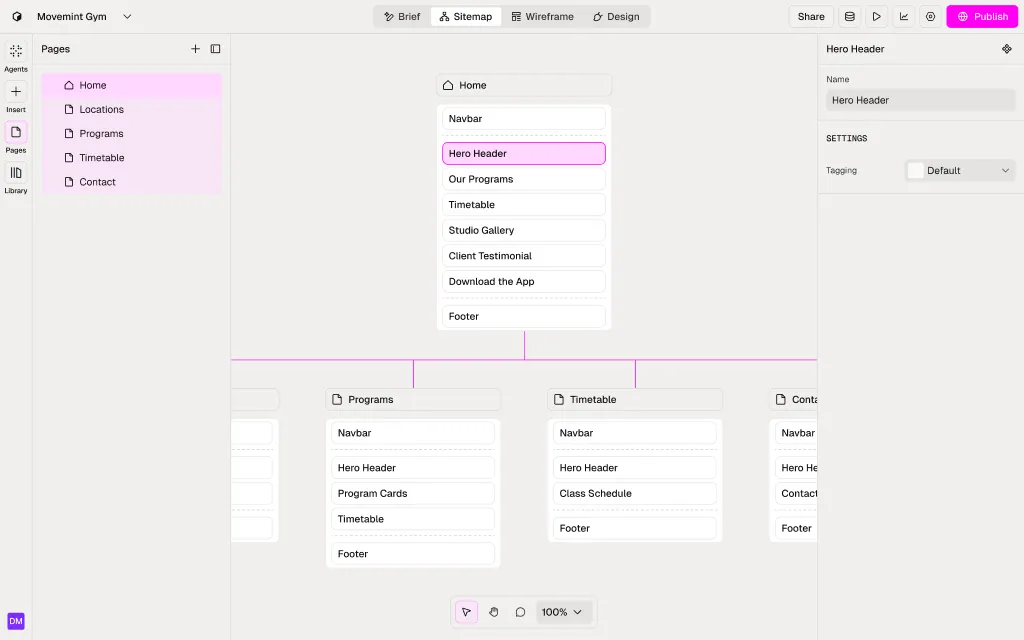
- Screens. Key product screens rebuilt entirely from library components, which proved the system could carry the real product: the editor’s Sitemap, Wireframe and Design views, CMS, publishing and site settings.
Outcome
[TBC: the result someone could verify. Some prompts:]
- [TBC: how handoff changed. Fewer back-and-forths? Fewer visual bugs in QA?]
- [TBC: AI. Did AI-generated designs or code come out more consistent and on-system? Any example or rough number?]
- [TBC: adoption. Who uses the library now, and how often?]
Along the way, matching Figma to code surfaced a list of real issues in production, such as colours with no dark-mode value and components that rendered differently from their spec. Those went back to engineering to fix.
Reflection
[TBC: one or two honest lessons. For example, what you’d do differently, or what surprised you about designing a system for AI as well as for people.]
Next, the plan is to write Storybook stories for the editor components, settle how the separate Studio theme fits into the colour system, and redraw icons on a single grid, in code first and then mirrored in Figma.